You find an X profile, notice the small padlock beside the username and immediately become curious. Maybe you are checking an unfamiliar follower, researching a company, confirming someone’s identity or looking into an account that recently switched from public to private.
A quick search brings up dozens of websites claiming that a private Twitter viewer can open the account instantly. Some promise protected posts, replies, media, followers and even deleted content without requiring you to follow the person.
It sounds convenient. The problem is that many of those promises do not match how private accounts on X actually work.
A viewing tool may provide a cleaner way to browse information that is already public. It may also reduce the need to sign in with your personal X account. What it cannot legitimately do is ignore X’s server-side permissions and turn protected posts into public content.
Understanding that difference can save you from wasting time, exposing personal information or installing something dangerous.
What Does a Private Twitter Account Mean?
X refers to private tweets as protected posts. When an account protects its posts, only followers approved by the account owner can normally view them.
New followers must send a request, and the account owner can approve or reject each request. Protected posts are also treated differently from public posts:
- They are limited to approved followers.
- They do not appear in public X searches.
- They should not appear in ordinary third-party search engines.
- Only approved followers can view the media included in them.
- Followers cannot use the normal repost button on protected posts.
- Replies sent to people who do not follow the protected account may not be visible to those people.
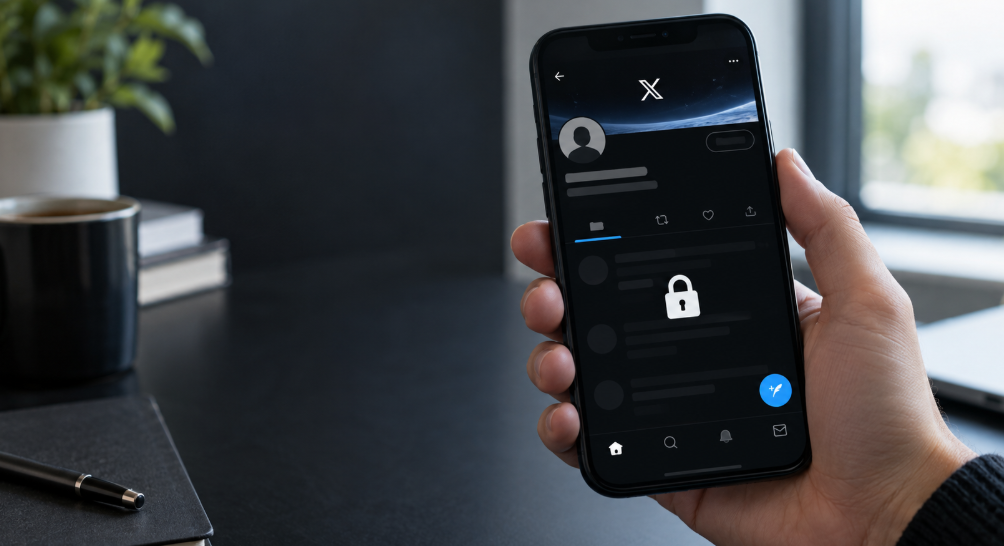
This protection is applied by X’s servers. When somebody requests a protected post, the platform checks whether the viewer is signed in and authorised to see it.
A normal third-party website cannot simply tell X that it is an approved follower. It would need legitimate access through an authorised account or another valid source.
That is why claims about “special algorithms” impersonating approved followers should be treated with suspicion.
What Can a Private Twitter Viewer Actually Show?
The name can be confusing. A legitimate private Twitter viewer is better understood as a privacy-focused way to browse publicly available X information.
Depending on what is currently public, a viewer may be able to display:
- A profile name and username
- The profile and header images
- A public biography
- Public follower and following counts
- Public posts and replies
- Publicly shared photographs and videos
- Account creation information
- Links included in the profile
- Public engagement statistics
A viewer may organise this information differently from X or allow you to look without signing in to your own account. That can be useful, but it does not make protected content public.
When an account is private, the viewer may only be able to confirm that the username exists and that its posts are protected. Anything beyond the publicly visible profile details would require authorised access.
Claim One: “You Can View Any Private Twitter Profile Instantly”
This is one of the most common promises, and it is also one of the easiest to question.
No ordinary website can guarantee access to every protected account. X controls those permissions on its own servers, not inside the viewer’s website.
When a site appears to “find” a protected profile, it may only be displaying basic public details such as the username, avatar, biography and follower count. It may then present a loading animation that suggests private posts are being retrieved.
After a few seconds, the site often asks the visitor to:
- Complete a survey
- Download an app
- Install an extension
- Create an account
- Provide an email address
- Pay for access
- Finish a “human verification” task
Completing those steps rarely changes what the website can access. The private posts remain protected because the visitor has not become an approved follower.
Verdict: A viewer may find public profile information instantly, but guaranteed access to protected posts is not a realistic claim.
Claim Two: “No Login Is Required”
This claim can be genuine, but only within clear limits.
Some viewers allow people to browse public X information without connecting an X account. That can reduce the risk of giving a third party control over your profile. It may also prevent the activity from affecting your recommendations or appearing in your normal browsing history on X.
However, “no login” does not mean “completely anonymous.”
The viewer website may still receive technical information such as:
- Your IP address
- Browser and device details
- Approximate location
- Cookies or similar identifiers
- The page that referred you
- The profiles you searched for
- The time and duration of your visit
Whether that information is stored or shared depends on the website’s privacy practices.
No-login browsing can limit the amount of account information you expose, but it cannot make you invisible to the website itself.
Verdict: No-login public browsing is possible. No-login access to protected posts is a different claim and should not be assumed.
Claim Three: “AI Can Unlock Private Twitter Accounts”
Adding “AI-powered” to a product description can make an ordinary viewer sound much more advanced. Artificial intelligence may help a service organise public information, recognise objects in public images or summarise publicly accessible posts.
It does not cancel X’s account permissions.

AI cannot create the approval that a protected account owner has not given. It also cannot legitimately reconstruct photographs, conversations or posts it has never received.
If a tool generates what it thinks a private account may have posted, that is not recovered content. It is invented material and should not be presented as genuine.
Some websites use technical phrases such as:
- Neural account matching
- Private-profile decryption
- Permission emulation
- Follower authentication bypass
- AI content recovery
These phrases may sound impressive, but they do not explain how the service obtained authorised access.
Verdict: AI can analyse information a tool already has. It cannot legitimately unlock a protected X account.
Claim Four: “The Viewer Can Recover Deleted Posts”
Deleted and protected posts are not the same thing.
A protected post still exists on X but is limited to an approved audience. A deleted post has been removed from the account.
A viewer may occasionally find an old public post that was:
- Quoted by another user
- Captured in a screenshot
- Reposted elsewhere
- Indexed while it was still public
- Preserved in a public web archive
That does not mean the viewer recovered the post directly from X. It found a copy that somebody else saved while the information was accessible.
If a post was always protected and was later deleted, a public viewer should not be expected to produce it.
Old copies should also be interpreted carefully. Screenshots can be edited, quoted posts may lack context, and archived pages may not reflect later corrections.
Verdict: Previously public copies may sometimes remain elsewhere. Guaranteed recovery of deleted posts is not credible.
Claim Five: “It Works With Every Twitter Account”
No public-data viewer can promise complete coverage.
Public information may be unavailable because:
- The account is protected
- The username has changed
- The account was suspended or deleted
- X temporarily limits access
- The viewer’s data source is delayed
- The account blocks certain regions
- Public profile details have recently changed
A tool that works well for one public profile may return little information for another. That does not necessarily make the tool fraudulent, but a trustworthy service should explain its limits instead of promising perfect results.
Verdict: Public-profile coverage can vary. Claims of universal access should be treated cautiously.
How Fake Private Twitter Viewers Create the Illusion of Access
Many fake viewers use a similar process. First, the visitor enters a username. The site then displays public profile details to prove it has “found” the account.
Next comes an elaborate progress sequence:
- Connecting to the account
- Analysing security
- Retrieving posts
- Decrypting media
- Preparing private results
These messages are often part of a predetermined animation. The site may not be retrieving anything new during this process.
At the final step, the content becomes blurred or hidden behind a verification screen. The visitor is told that only one more action is required.
The website may then earn money whenever somebody completes an offer, installs an application or submits personal information. The promised results never appear because the site did not have them in the first place.
Other sites display random photographs or generic posts as a “preview.” The same preview may appear regardless of which username is entered.
Does a Private Twitter Viewer Protect Your Privacy?
It can reduce certain types of exposure, but the answer depends on how the viewer works.
It May Keep Searches Separate From Your X Account
If you do not log in, your searches are not directly connected to your personal X profile. They are also less likely to influence the recommendations you see when you return to your normal account.
This can be useful for researchers, journalists, recruiters and people comparing brands or public conversations.
It Reduces the Need to Share Your X Password
A public viewer should not require your X password. Keeping your login away from third-party websites lowers the risk of account theft.
If a site requests your password, recovery code or two-factor authentication code, leave it immediately.
It May Reduce Personalisation
Browsing outside your account can produce a less personalised view. That may help when researching a topic because the results are less influenced by your followed accounts and previous activity.
It Does Not Remove Website Tracking
The viewer itself can still track visits through IP addresses, cookies and browser information. A website with vague ownership or no privacy policy may collect more information than expected.
Before searching, check whether the site explains:
- Who operates it
- What information it collects
- How long search data is kept
- Whether information is shared with advertisers
- How cookies are used
- How users can request deletion
A privacy viewer should not be automatically considered private simply because the word appears in its name.
Surveys and “Human Verification”
A short security check may occasionally be used to control automated traffic. That is different from being sent through multiple advertising offers with no clear endpoint.
Repeated surveys are a major warning sign when they appear only after the site claims to have found private content.
Be especially careful if a survey asks for:
- A phone number
- Payment-card information
- Your home address
- Permission to receive paid messages
- Installation of several sponsored applications
- Registration for unrelated subscriptions
The site may receive a commission for each completed offer. That gives it a reason to keep visitors inside the verification loop, even when there is no private content waiting at the end.
Browser Extensions and Mobile Apps
A viewer that works through an ordinary webpage generally does not need broad access to your browser or phone.
An extension may request permission to:
- Read pages you visit
- Change website data
- View browsing history
- Manage downloads
- Read copied text
- Communicate with other applications
Those permissions can expose far more information than a simple public-profile search requires.
Mobile apps downloaded outside official stores create similar risks. An unofficial installation file may contain advertising software, spyware or credential-stealing code.
Do not install an extension or application simply because a website says it is required to display the final results. Check the developer, permissions, independent reviews and official store history first.
Red Flags to Watch For
Leave the website if several of these warning signs appear together:
- Guaranteed access to every protected account
- Claims that AI can bypass account permissions
- A fake-looking loading or “decryption” animation
- Private posts blurred behind a survey
- A countdown designed to create urgency
- Requests for an X password or verification code
- Unknown software downloads
- Extensions requesting unrelated permissions
- Multiple pop-ups or forced redirects
- Repeated subscription offers
- No privacy policy or contact details
- No explanation of where the displayed data comes from
- The same preview content appearing for different usernames
One weak design choice does not automatically prove that a site is malicious. A pattern of impossible promises and unnecessary data requests is a much stronger warning.
How to Use a Twitter Viewer More Safely
If you use a viewer for public information, keep the process simple:
- Do not enter your X password.
- Never share a two-factor authentication code.
- Avoid downloading unknown applications.
- Reject unnecessary notification requests.
- Do not install an extension unless its permissions make sense.
- Check the website’s privacy policy and contact information.
- Avoid providing payment details before understanding the service.
- Close the page if verification leads through repeated offers.
- Remember that public information may be incomplete or outdated.
- Use the information responsibly and respect the account owner’s privacy.
A genuine public viewer should be clear about what it can retrieve. It should not need to create a dramatic story about hacking or decrypting an account.
Legitimate Ways to View Twitter Content
The safest method depends on what you actually need.
For protected posts, send a follow request from a genuine account and allow the owner to decide whether to approve it.
For public research, you can:
- Browse public X profiles
- Search public conversations
- Review public replies and media
- Check official company or personal websites
- Compare information across credible public sources
- Use a no-login viewer that clearly limits itself to public data
If you need information for recruitment, journalism, parental safety or a legal matter, avoid treating a single social profile as definitive proof. Confirm important facts through additional sources and consider the context in which a post was published.
Is Using a Private Twitter Viewer Legal?
Viewing information that somebody has deliberately made public is generally different from bypassing access controls or accessing an account without permission.
The legal position can vary by country and by what the user does with the information. Potential problems arise when viewing becomes harassment, stalking, impersonation, unauthorised account access or collection of personal data for harmful purposes.
Even when information is public, it should be handled responsibly. Public availability does not automatically make every form of collection, republication or targeting appropriate.
A simple rule is useful: use viewing tools for legitimate public research, not to defeat another person’s decision to protect their account.
Final Thoughts
A private Twitter viewer can be useful when it provides a convenient, no-login way to browse public X information. It may keep searches separate from your main account, reduce personalisation and help organise publicly available profile details.
That is where the realistic benefits end.
Protected posts remain limited to approved followers. AI does not override that permission, loading animations do not prove that private data has been found, and completing surveys does not turn an unauthorised visitor into an approved follower.
The safest viewer is one that is honest about these boundaries. It should display public information clearly, avoid asking for sensitive credentials and explain how it handles visitor data.
If the information you want is genuinely private, the reliable option is still the simplest one: send a follow request and let the account owner decide.
Frequently Asked Questions
What is a private Twitter viewer?
It is usually a third-party website that displays publicly available Twitter/X profile information, sometimes without requiring the visitor to sign in. The name does not mean it can automatically unlock protected posts.
Can a Twitter viewer show protected posts?
A public viewer cannot reliably show posts protected by X’s follower permissions. Those posts are intended for followers approved by the account owner.
Can I browse Twitter without an account?
Some public profiles and third-party viewers may be accessible without signing in. Availability can vary, and certain X pages may require an account.
Is a no-login Twitter viewer completely anonymous?
No. The search may not be connected to your X account, but the viewer website can still receive technical information such as your IP address, browser details and cookies.
Can AI reveal posts from a protected account?
No. AI can analyse available information, but it cannot legitimately create follower approval or retrieve content it has never been given.
Can a private viewer recover deleted tweets?
It may find an old public copy, quotation, screenshot or archive. It cannot guarantee recovery of a post deleted from X, especially if that post was never public.
Should I complete a survey to unlock results?
Be cautious. Repeated surveys and unrelated offers are commonly used to generate revenue and do not prove that the site has obtained private content.
Should I install a private-viewer browser extension?
Only after checking the developer, permissions, official store listing and independent reputation. A basic public-profile viewer should not need access to your complete browsing history.
Is using a Twitter viewer safe?
It can be relatively low risk when it displays public information, does not require credentials and has transparent privacy practices. Avoid services requesting passwords, security codes, unknown downloads or excessive personal details.

Leave a Reply